Archive for May, 2008

Mobile Broadband

Author: Steve Martin
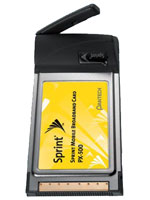
We are traveling to Jackson, WY on a business trip / mini vacation as I write this. Jenny is driving so that I can work on the way. I thought I would write a quick post about mobile broadband. About a year ago, we decided to order mobile broadband through Sprint which is our cell phone carrier. The idea was that it would help me to be more available to my clients from pretty much wherever I am. Sometimes it is more difficult and time consuming to try to talk someone through a problem than it is to simply hop onto their computer and take care of it. And, since time is money for both me and my clients, saving some time helps everyone involved.

So, we purchased mobile broadband and haven’t looked back. It is awesome! I love being able to browse the Internet, check and reply to e-mail, hop on clients’ computers to resolve problems…from anywhere. Right now, I am doing all of this while traveling 75 MPH. On several occasions I have pulled off the freeway to take care of something for a client real quick so they don’t have to wait for me to get back home or to my next location. It works great right now but should continue to improve over time. Sprint has upgraded much of their network to take advantage of Rev A speeds. Before Rev A there was Rev 0. The basic difference is in upload speeds, not download speeds. Rev 0 had a very slow upload speed. It was basically as slow as a 56K modem but the download speeds were burstable to 2 mbps. With Rev A you get equal download and upload speeds of 2 mbps (burstable). The average speed is probably between 500 kbps to 1 mbps. That’s pretty decent for mobile broadband.

In researching mobile broadband, I found that Sprint is actually a very good provider. They do not limit the amount of bandwidth people are allowed to use where Verizon caps you at 5GB per month. Most of the message boards I visited rave about the Sprint service and tout it as the best out there right now. Others are slower, not as reliable, and/or limit your use of the service.

The cost for the Sprint mobile broadband service when I signed up was $60/month when you sign a 2 year contract and $80/month without a contract. So, if you have a need for it, I would highly recommend getting it.

My Pretty Son

Author: Steve Martin

That’s right, this is my SON, not my daughter. I thought it would be funny to put Makenna’s headband on him. He thought it was funny too and even posed for a picture. Isn’t he pretty? Tyler is crazy. This weekend he and I went to “Fathers and Sons”. It wasn’t anything fancy but he sure did have fun. Any time we went anywhere, like to the park, to the bathroom, to the car, etc. He would say “Let’s hold hands” so we walked everywhere holding hands. I think it helped him to like his Dad a little better as he has been a little poo lately and testing his boundaries quite a bit.

When we got home, I set the tent up in the basement to let it air out a little before packing it away. They have had fun playing in it and last night, Abby, Tyler and I slept in it together. I love my kids.  (Update – I guess I left the tent up a little bit too long. Tyler decided to try to climb on top and broke one of the poles. Now I have to try to find a place that has replacement poles or repair pieces, fun)

ie7pro

Author: Steve Martin

I am not the kind of person that installs a whole lot of plugins on an Internet browser but I have found one that is a must for anyone running Internet Explorer 7. It is called ie7pro and puts several things into IE that should have been in there in the beginning. You can download it from http://www.ie7pro.com. It is free and quick to install.

It looks like this at the bottom of your IE7 browser window (the little ‘e’):

To change any of the features of ie7pro, you simply go into the tools menu of Internet Explorer 7 and choose “IE7Pro Preferences”. There you will be able to set and change any of the many features of ie7pro.

My first favorite feature is the “Crash Recovery” feature. I don’t know about you, but my Internet Explorer browser does crash from time to time. Either it dies on it’s own and closes or it freezes up and I have to force it to close. Well, ie7pro remembers all of the tabs that you had open before the crash. So, the next time you open Internet Explorer, it will ask you if you want to restore your previous session. I generally keep at least 10 to 20 tabs open all the time in Internet Explorer and it is a major pain to even remember what I had open let alone the time to go through and re-open them all up again. with ie7pro crash recovery turned on, I simply say “yes” after I re-open IE and all of my tabs open back up again right where I left off.

My second favorite feature is “refresh current tab”. It is pretty self explanatory but basically you choose a tab that you want to auto-refresh, go into the “refresh current tab”, and choose an interval from 5 seconds to 30 minutes. ie7pro will then refresh that particular tab according to the interval you set. This works great for sites that log you out after a certain amount of inactivity. I have several sites I use frequently that do this but with ie7pro, I never get logged out anymore. The refresh makes the site think that I am still actively using their site and keeps me logged in.

There is also an ad filter that will filter out a lot of the ads you see on different web sites. I have not turned this feature on simply because sometimes those ads are very worthwhile and actually help me save money on things I buy anyway. But for those that prefer fewer ads, you could turn it on and skip a lot of the advertisements.

Being a free product, I highly doubt there is any tech support for the product but I haven’t run into a need for it either. The software works as promised. So, if any of the features sound useful to you, check it out.

More on Magicjack

Author: Steve Martin

It just keeps getting better. I have now used the magicjack at a few locations to make support calls on my client’s behalf and it has worked great. I wanted to give a couple of updates regarding the feaures that impressed me. First of all, the voicemail. Yes, this cheap service even includes voicemail. You can either check it by dialing your number and hitting star or just listen to the attachment that gets e-mailed to you after someone leaves a message. Since I don’t ever plan on using my magicjack for incoming phone calls, I recorded a special message for my kids. My children are a little afraid of jolly old St. Nicholas. He freaks them out. The only time they have sat on his lap is before they knew any better (like maybe before they turned one). So, in order for my kids to tell Santa what they want for Christmas, they call and leave him a voicemail. Previously, I was using an old Vonage line for them to do this with but now that I found Magicjack, I cancelled that Vonage line and Magicjack will replace it. If you want to let your kids call Santa to let him know what they want for Christmas, my Magicjack number is 801-738-0668. I don’t sound a lot like Santa but it fools MY kids.

Another feature that improves the pricing for Magicjack even more (I didn’t think that was possible), is that you can prepay for future years of service at quite a discount. I logged into my Magicjack account and found that I could pay for the next 4 years of sevice for only $50. That’s a $30 savings. I now have unlimited phone service for the next 5 years for only about $90.