
Aug
15
2008
The ASUS Eee PC
Author: Steve Martin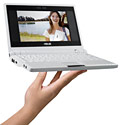
This is the Eee PC by ASUS. I recently bought one to see how viable it could be for certain business applications. It comes equipped with 512 MB of Ram and a tiny 4 GB Solid State hard drive. The processor is an Intel 900 Mhz. It looks like the the video takes 8 MB of memory from the RAM so you are actually left with 504 MB for the computer’s use.
It is preloaded with a custom distribution of Linux which I didn’t find very useful (although others do). So, I loaded Windows XP Professional on it. One thing to note is that you must install XP SP2 or it will not install correctly. I only had XP SP1 so I had to slipstream SP2 into it and then it worked fine. Depending on which Eee PC you get, they will include a driver disk for XP. You install the drivers once you have XP loaded.
Once I had XP installed and all the drivers, I applied the available updates for XP. This included installing SP3. By that time, the hard drive was getting pretty cramped (I was afraid SP3 was not going to install because of so little space available). I went through and deleted just about anything I could that would still let XP run without errors. After everything, I actually have about 1.4 GB of space left on the 4 GB hard drive.
One possible use for this little guy is to allow remote desktop (terminal services) connections to a remote computer in order to run certain applications. In this instance, the Eee PC doesn’t need to have much hard drive space as nothing gets stored locally. For the sake of speed, I would recommend formatting the drive to FAT32 instead of NTFS when installing XP. While NTFS has some additional features, it tends to run a little slower. This is really felt on a little computer which doesn’t have the fastest processor or very much RAM.
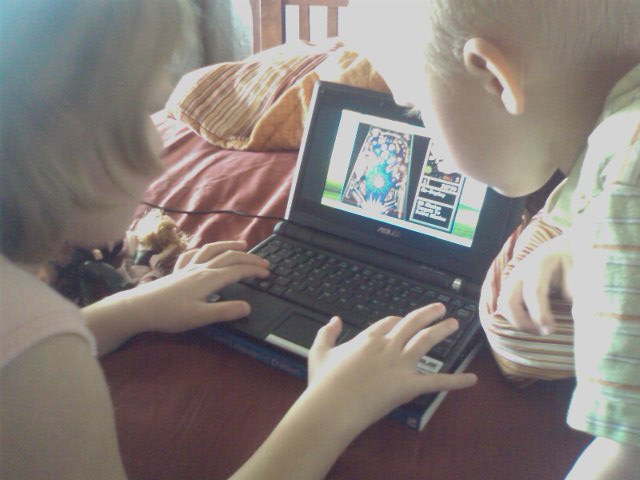
For now, my kids enjoy having a tiny laptop they can play games on. They play lots of games at sesamestreet.com. This is a picture of my two kids playing pinball on it.
So, if you don’t need a ton of hard drive space for your particular application and you are looking for a small form factor, this is a very inexpensive solution. Total cost was about $350. I already had an XP license allowing me to upgrade it to XP. If you do not, you need to factor in that cost as well.
9-4-08 Update. I showed the EeePC to my client that I was testing it out for and he thought it was perfect. They are using it every day now. My poor kids were in tears when I told them that I sold it to my client. Maybe if they ask Santa…

August 17th, 2008 at 3:39 pm
Oh, it’s so cute!
August 19th, 2008 at 9:15 pm
Me again. Thanks for the Sesame Street website. Sadie and Soren love it! Sadie especially likes Elmo’s Potty Time…”If you get the feeling that you have to go, stop whatever you’re doing and go!” It’s just so catchy, I can’t get it out of my head. Thanks again! I owe you one.